The short answer
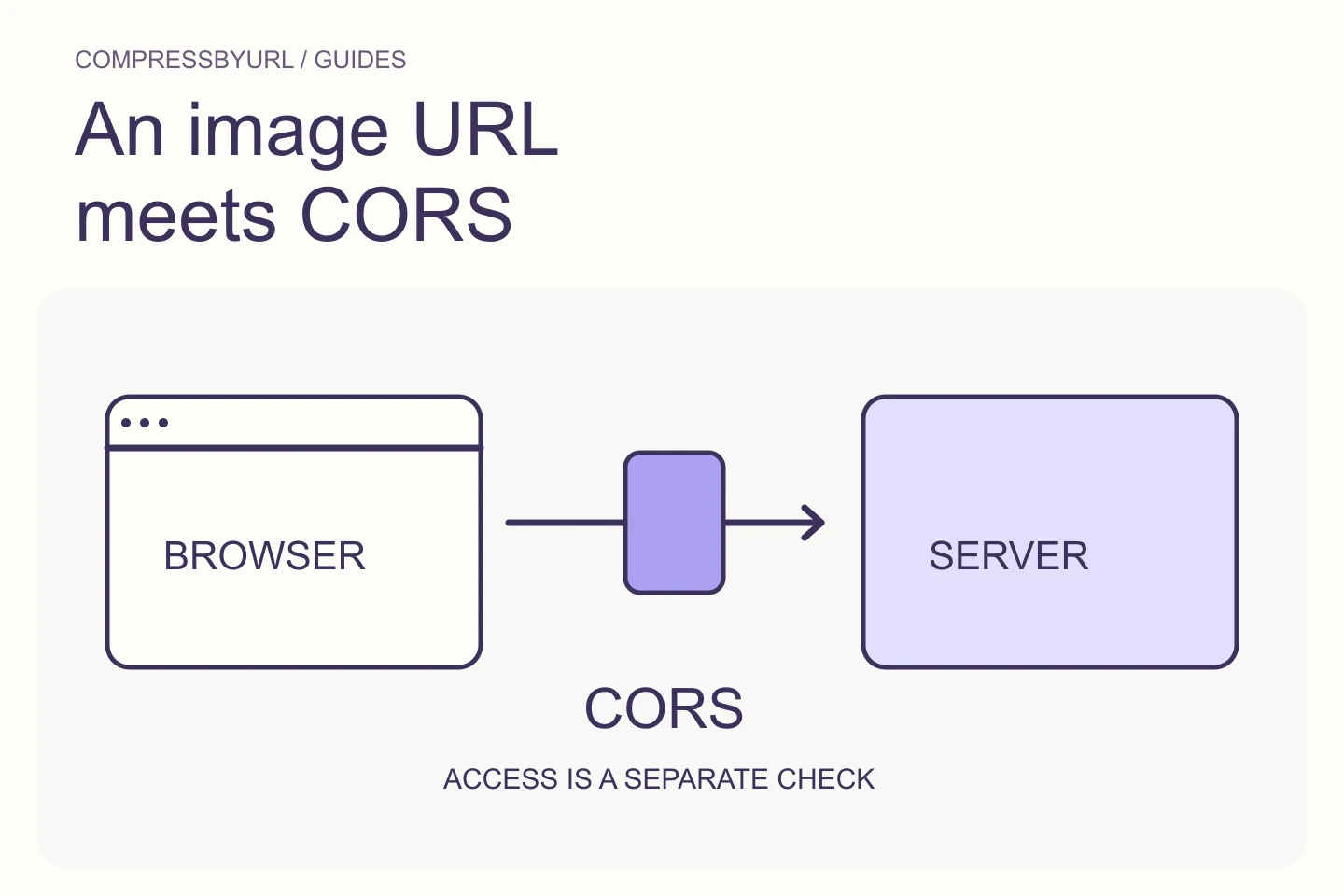
- Browser display and pixel access have different rules.
- Check public accessibility, redirects, and supported image content.
- Use local files or a bounded public retrieval path without sharing credentials.
On this page
Understand display access versus processing access
MDN explains that cross-origin images without the appropriate permission can taint a canvas. A page may display the image while export or pixel reading is blocked. That protects data across origins; it is not evidence that the photograph is corrupt.
Confirm the failure stage. Did retrieval fail, decoding fail, or did export fail after drawing? Keep those stages separate in a developer error report. An ordinary navigation to the image URL establishes that your browser can display something under its current conditions, not that another site can safely retrieve and process the same bytes.
Check whether the URL is a public image response
Open the intended direct resource and inspect its response through a workflow you control. A share-page URL can return HTML rather than an image. A signed URL can expire. A hotlink-protection rule can behave differently across request contexts. Record the final URL and actual content type when available.
Avoid using a secret or token-bearing URL in a public diagnostic workflow. If the resource belongs to an authenticated account, download it through the service’s permitted workflow and use the local-file mode instead. Do not paste cookies, authorization headers, or credentials into a tool to imitate your logged-in session.
Fix CORS at the source when you control the host
If you own the image host, configure the appropriate cross-origin policy for the processing application and verify the actual response. Client-side attributes alone cannot grant permission the server did not provide. Check redirects and cached responses because they can alter the final headers seen by the browser.
Make the policy as specific as your use requires. Do not weaken access controls on private content simply to silence a development error. Public decorative assets and private user documents have different requirements. Test the expected processing origin and preserve normal authentication boundaries for protected resources.
Use a narrowly scoped public-fetch fallback when needed
CompressByURL can retrieve validated public HTTP or HTTPS image resources through a limited server path when browser access is insufficient. The fetched bytes return to the browser for compression. This is a public image workflow, not a generic proxy or an authenticated session relay.
The service checks destinations and redirects and enforces content, time, and byte budgets. Private network targets and unsafe responses can be rejected. A retrieval failure may therefore reflect a deliberate boundary rather than a CORS bug. Read the displayed error and choose a permitted local-file path when you have the right to download the source.
Keep format and animation errors separate
A successful fetch still needs a supported static image that the browser and tool can decode. An HTML error response saved with an image extension is not a valid image. Animated content is outside CompressByURL’s optimization scope, even when it uses a familiar WebP or AVIF extension.
Inspect the source independently if decoding fails. Preserve the original and avoid changing its extension as a supposed conversion. For an owned static image, try a known valid local file to distinguish retrieval from decoding. Use the error category to guide the next step rather than repeating the same URL without new evidence.
Build a useful error report without exposing secrets
Record the public URL only when it is safe to share, the failure stage, browser information, and the visible error code. Remove private tokens and unrelated account data. A small description of whether the resource is public, redirects, and opens outside an authenticated session can narrow the investigation.
If you simply need an optimized replacement for an image you own, download it normally and use Upload Files. Local bytes remain in your browser. If you need repeatable direct-URL processing, correct the source policy or use the bounded public workflow. Keep the destination public and supported rather than introducing a credential-forwarding workaround.
| Observation | Investigate |
|---|---|
| Displays but canvas export fails | Cross-origin pixel access policy |
| URL returns a webpage | Use the actual public image resource |
| Works only when logged in | Use an authorized download and local mode |
| Public fetch rejected | Destination, redirect, type, or budget boundary |
Common questions
Can I solve CORS by adding a client-side header?
The source server controls cross-origin permission. A client cannot grant itself access to protected remote pixels.
Can the tool fetch my private intranet image?
No. Its server retrieval path is limited to safe public destinations. Use a permitted local download and browser compression instead.
Sources and further reading
Technical references for the concepts in this guide. Examples with hypothetical values are illustrations, not measured results.